Security model: short FAQ
What the SeedHammer II keeps, what can leave it, which firmware it runs, and how to handle seeds, descriptors and plates.
Answers for stock firmware v1.4.3: what the SeedHammer II stores, what can leave it, which firmware it runs, and how to handle seeds, descriptors and plates.
Seed words are typed on the machine's touchscreen only, never through a phone, a computer or a chat assistant. Any request for them in a message or on a website is a scam; an account posing as SeedHammer has sent such requests.
The model in short
| Question | Answer |
|---|---|
| Does it keep anything after power-off? | No. In normal use the firmware writes nothing durable. |
| Can a stolen machine reveal a seed? | Not a genuine board running signed stock firmware. Replace a board you suspect was swapped; do not test it. |
| Can it send what I type? | Its only radio is NFC, on only on the start screen, where a phone that reads it sees an empty tag. The USB-C port also carries data, see What can leave the machine. |
| Can the sound give words away? | Not through timing: each letter of a seed word and each SeedQR module takes a fixed time. The motors still trace the shapes, and the job length varies only with the word count and the fingerprint line (Timing and sound). |
| Does it create seeds? | No, by design, to avoid the random-number bugs seen in signing devices. Bring a finished seed. |
| How large is the attack surface? | Small: no seed generation and no channel that sends out what you enter. |
| Is a descriptor secret? | No. It reveals every address of the wallet. |
| Can I run my own firmware? | Yes, with the hash of your own signing key written into the chip's one-time memory. That write cannot be undone. |
What the machine keeps
| Part | What it holds | Written by v1.4.3 |
|---|---|---|
| RP2350 microcontroller, RAM | words, descriptor and job while powered | yes, volatile |
| RP2350 one-time memory (OTP) | boot key hash, secure-boot flag, USB drive labels | only by the secure-boot setup, never anything you enter |
| W25Q128 flash chip (16 MB) | the firmware image | no; a firmware upgrade writes it through the chip's built-in boot mode |
| TMC2209 stepper drivers on the board; display driver on the LCD module | their own small OTP areas | no |
While the machine is on, anyone who sees "Engrave Seed" can read the words; after 3 minutes without input a screen saver covers the screen.
| To | Do |
|---|---|
| Drop a seed without engraving it | On "Engrave Seed" tap back, hold the trash on "DISCARD SEED?" for 1 second, then unplug the machine. Discarding returns to the start screen but does not clear the words from RAM. |
| Clear the words after a job | When "Engrave Plate" shows "Engraving completed successfully.", unplug the machine and wait for the screen to go dark. |
Hidden hardware that records what you type cannot be ruled out from the outside; it could sit anywhere, even in the motors, but away from the controller board it is hard to hide and captured data is hard to send out. Fit a board you trust, or destroy the old one (Lending, selling and travel).
Which firmware runs
| Item | Detail |
|---|---|
| Firmware source | public domain since 2026-04-23, github.com/seedhammer/seedhammer |
| Board and machine design files | github.com/seedhammer/hardware |
| Build | deterministic: a build from source matches the released image bit for bit, except for the signature (unverified, see Rebuild a release) |
Rebuild a release
- Install Nix with flakes enabled.
- Check out the tag
v1.4.3of the firmware repository. - Run
nix run .#build-firmware. It writesseedhammerii-v1.4.3.uf2. - Run
nix run .#copy-signature <official .uf2> <your .uf2>to copy the official signature into your build. - Compare the two files, for example with
shasum -a 256. The hashes match (unverified).
Read the lock mark
With secure boot on, the RP2350 starts only firmware signed by a key whose hash is written into its OTP.
| Line at the bottom right of "Backup Wallet" | Meaning |
|---|---|
| "Firmware: v1.4.3" | the firmware version |
| "Hardware: v1.5", for example | secure boot is on and the SeedHammer key is the only valid boot key |
| "Hardware: v1.5 (UNLOCKED)" | secure boot is off, or the SeedHammer key is not the only valid boot key |
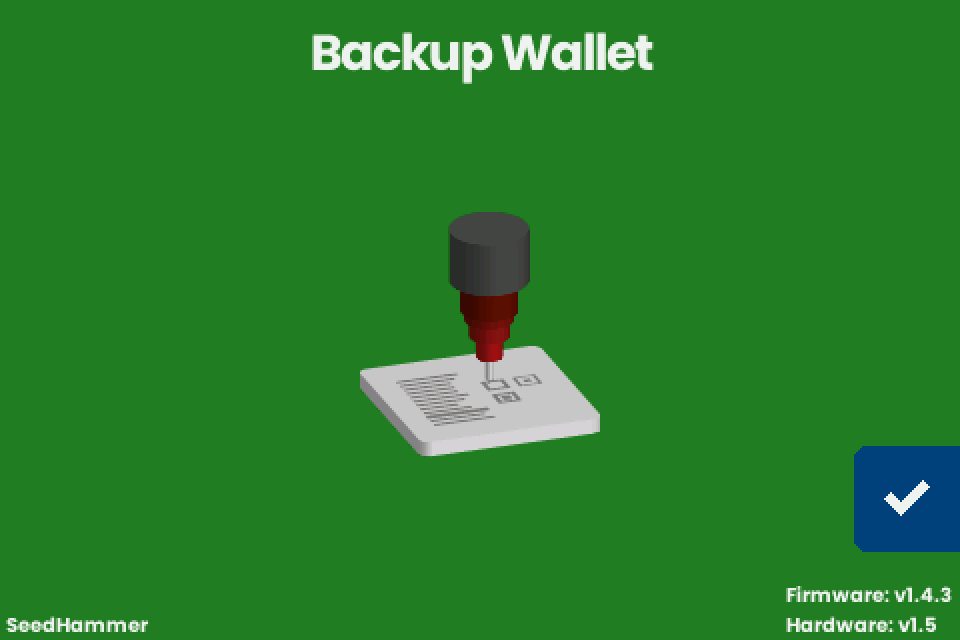
The running firmware draws " (UNLOCKED)": firmware signed with another key shows whatever its author chose.
- Install the official release yourself, as in Firmware upgrade.
- Connect the machine's power supply and wait for "Backup Wallet".
- Read the hardware line. Without " (UNLOCKED)", secure boot is on and only the SeedHammer key is valid.
A shipped unit on v1.4.3 shows no " (UNLOCKED)" (unverified).
Use your own signing key
The RP2350 has four boot-key slots and a stock machine uses one.
You can write the hash of your own public key into a free slot and sign your own builds; it takes development work.
The firmware repository includes cmd/picosign for signing on an external device: it extracts the data to be signed from an image and replaces the image's signature with one made elsewhere.
The OTP write cannot be undone.
Afterwards stock firmware shows " (UNLOCKED)", because the SeedHammer key is no longer the only valid key.
Keep your key offline, like a seed: anyone who holds it can make firmware your machine will run.
The secure-boot setup command
| NFC text on the start screen | Result |
|---|---|
exactly command: lock-boot, nothing after it |
writes the USB drive labels and the SeedHammer key hash to OTP, turns secure boot on and restarts |
command: with any other text after it, even a trailing line break |
unknown command |
Only the start screen accepts the command.
On a machine that is not yet locked, secure boot stays on for good afterwards.
The command adds the SeedHammer key and removes none. An owner key written earlier stays valid.
On a locked machine the command only restarts it (unverified).
What can leave the machine
| Channel | v1.4.3 |
|---|---|
| Radio parts in the published board files | the NFC chip (ST25R3916) and its antenna; no Wi-Fi or Bluetooth part |
| Radio parts on a shipped board | the same (unverified) |
| NFC on | only while "Backup Wallet" is shown; off during "Input Seed", "Input Words", "Engrave Seed" and "Engrave Plate" |
| NFC toward a phone | a tag the phone writes to; a phone that reads it sees an empty tag |
| NFC with no phone near | polls as a reader for physical NFC tags (ISO 15693 and ISO 14443A Type 2), see NFC tags, cards and desktop writers |
| NFC on receipt | "Scanning...", then "Unknown format" or "Scan error" for about one second, or the next screen |
| USB-C data | firmware upgrades reach the chip's built-in boot mode through the port |
| USB serial log | opened by a release build (unverified) |
| Log content | no seed words, no descriptors; the only text you send that can appear is an unrecognised command: text from NFC |
| USB-C power | runs only on a USB-PD offer of 20 V to 28 V at 3 A or more; on a computer port without one, the machine restarts into upgrade mode |
Compare every engraved plate with what you meant to engrave.
Disconnect the NFC chip
In the published board files, three solder jumpers (JP2, JP3, JP4) beside the silkscreen text "NFC CUT HERE" carry the clock, data and interrupt lines between the microcontroller and the NFC chip.
Power is not affected: the USB-C power controller sits on the microcontroller side.
Important: treat this as permanent; afterwards descriptors, and anything else sent over NFC, can no longer reach the machine.
Seed entry on the touchscreen runs on a separate bus and keeps working (unverified).
- Unplug the machine.
- Sever the thin link between the two pads of each of the three jumpers.
- Confirm with a multimeter that none of the three conducts across its pads.
Timing and sound
| What is engraved | Timing | Detail |
|---|---|---|
| Seed words | constant | each letter takes the time of the slowest letter, and every word takes 8 letters, the length of the longest BIP39 word |
| SeedQR on a seed plate | constant | a fixed number of module steps of equal time, set by the QR size |
| codex32 share text and QR | constant | as for seed words and the SeedQR |
| Word numbers, fingerprint line, codex32 share identifier | varies with the content | none of them is secret |
| Descriptor text and QR | varies with the content | a descriptor is not a secret |
Constant time evens out duration only.
The stepper motors still trace the letter shapes and visit the QR modules; anyone who can film the plate or tap the motor wires can read it.
The total job length varies only with the number of words and with the fingerprint line.
Seeds and phones
| Input | Rule |
|---|---|
| Seed words | Tap the checkmark on "Backup Wallet", choose 12 WORDS or 24 WORDS on "Input Seed", then type on "Input Words" (Enter a seed). |
| Seed words as NFC text | The machine accepts them. Never send them from a phone or a signer: the words would stay on the phone, or travel over radio from a signer such as a Coldcard. |
| Descriptors | Use NFC Tools on iPhone or Android for descriptors only (Send a descriptor with NFC Tools). NFC Tools writes with the phone in airplane mode (unverified). |
v1.4.3 cannot create a seed and does not compute a last word.
The checkmark on "Engrave Seed" appears only when every word is filled, and a failed checksum shows "Invalid Seed".
To make a seed by hand, roll dice against a published word table, compute only the last (checksum) word with an offline device you trust, and type the full seed.
Descriptors
A descriptor is not a secret, but it reveals every address of the wallet: whoever reads it can follow every payment and the balance.
It cannot spend.
| Case | Risk | What to do |
|---|---|---|
| A multisig descriptor is lost | the larger risk: it holds the other cosigners' public keys; if one seed is lost, the remaining seeds cannot rebuild the wallet without it | keep it on steel |
| It sits on a phone for the NFC transfer | the same privacy risk, no theft risk | avoid email, chat and cloud notes when you move it to the phone |
| Each plate can carry the full descriptor | one found plate reveals the wallet's addresses | choose which plates carry it (What fits on a plate) |
Splitting a seed
| Question | Answer |
|---|---|
| Part of a seed on each plate? | Never: every word on a plate shortens the search for the rest. With 9 of 12 words known, three missing words leave about 8.6 billion combinations (2048 x 2048 x 2048), and the checksum rules out 15 of every 16, which leaves about 537 million for recovery software to try. |
| Which seeds does v1.4.3 engrave? | Only complete seeds with a valid checksum. The touchscreen takes 12 or 24 words; NFC text takes any multiple of 3 words up to 24 (unverified). |
| Shares? | The machine neither splits nor combines shares, and "SLIP-39" is not offered. A codex32 share reaches it only over NFC and passes through the sending device (Shares). |
| Redundancy? | Use a multisig: each plate holds one complete seed, and the descriptor goes on the plates you choose. |
| Shares inside a multisig? | Stacking schemes adds steps an heir must undo correctly. A plain 2-of-3 with the plates in separate places is easier to recover. |
Lending, selling and travel
The controller board unplugs from the frame and stores nothing.
Replacing it is never required; swapping it lets you decide what happens to the electronics that saw your seed.
| Situation | Do |
|---|---|
| Selling or lending the machine | Fit another board and keep the old one; destroying it is possible but not recommended. |
| Borrowing a machine | Fit your own board first. |
| A new board | Install the current release before use (Firmware upgrade). |
| Removing the board | See Hardware and spare parts. |
| Keeping seeds off the machine | Optional: punch seeds by hand and use the machine only for descriptor plates. |
| Travel with the machine | Machines and blank plates have travelled in cabin luggage without trouble. |
| Travel with plates | Plan as if an inspector reads and photographs any engraved plate. Do not carry seed plates across borders. |
| Destroying a plate | Grind every engraved face with an angle grinder or a flap disc until no character or QR module can be read; it takes seconds. Wear eye and hearing protection. |
If it does not work
| Symptom | Cause | Fix |
|---|---|---|
| The start screen shows "(UNLOCKED)" after the hardware version. | Secure boot is off, or a boot key other than the SeedHammer key is valid. | Expected if you added your own key. Otherwise install the official release yourself and look again; if " (UNLOCKED)" stays, do not engrave seeds with this board and replace it. This assumes shipped units on v1.4.3 show no " (UNLOCKED)" (unverified, see Read the lock mark). |
| The screen stays dark after you install the official release. | Power, or a board that refuses SeedHammer-signed firmware because secure boot is on and only another key is valid (unverified). | Connect the machine's own supply (Power supply and first start). If the screen still stays dark, do not engrave seeds with this board. |
| "Scan error" keeps flashing with the NFC jumpers open. | The start screen keeps polling an NFC chip it can no longer reach (unverified). | Expected; seed entry runs on a separate bus and is not affected (unverified). |
| "Invalid Seed" with "The seed phrase is invalid." for a seed made with dice. | The last word carries a checksum and v1.4.3 does not compute it. | Compute the last word with an offline device you trust, tap the checkmark to return to "Engrave Seed", select the last word and correct it with the pencil. |