Send a descriptor to the SH II with NFC Tools (iPhone and Android)
Write a wallet descriptor from a phone to the SeedHammer II over NFC and fix a failed transfer.
Send a wallet descriptor from an iPhone or Android phone to the SH II with NFC Tools, on stock firmware v1.4.3. The machine has no descriptor menu: on its start screen, "Backup Wallet", it opens "Engrave Descriptor" by itself when a descriptor arrives.
Seed words are typed on the machine only and never pass through a phone, a computer or a chat assistant (Enter a seed on the touchscreen). A descriptor is not a secret and cannot spend. It reveals every address of the wallet, and with them the balance and history: keep it out of email, chat and cloud notes.
What you need
- The SH II on stock firmware v1.4.3 ("Firmware: v1.4.3" bottom right), on its power supply, showing "Backup Wallet".
- An iPhone 7 or later with iOS 15.6 or later (NFC is always on), or an Android phone with NFC switched on in the phone's settings, in the section for connections.
- NFC Tools by WAKDEV (App Store, Google Play).
- The descriptor on the phone's clipboard: from phone wallets or Sparrow and Specter.
- No phone? A Coldcard sends on its own: Coldcard. Tags and desktop writers: capability sheet.
Prepare the text
Copy one text in one of these forms before you open NFC Tools.
- A plain descriptor on one line, for example
wsh(sortedmulti(2,[73c5da0a/48h/0h/0h/2h]xpub.../<0;1>/*,...))#spmyt389, with no space or line break before or after it. A trailing line break gives "Unknown format". - If it contains
?(Sparrow 2.5 and later add?bh=or?gl=), delete everything from?to the end, checksum included (unverified). The machine engraves its own checksum. Never retype key characters. - JSON with a
"label"and a"descriptor"field, as Specter exports it. Sparrow's Specter Desktop file with?bh=or?gl=: delete the annotation. - Coldcard or BlueWallet multisig text with a
Name:line. - Never a bare key such as an
xpub; send a descriptor with key origins (why).
Write the descriptor with NFC Tools
- Open NFC Tools.
- Tap Write (Android: the WRITE tab).
- Tap Add a record.
- Tap Text ("Add a text record").
- Paste the descriptor into Enter your text.
- Tap OK (Android: the back arrow).
- Make sure the list shows exactly one record, "Text", with your descriptor (Android: with its size).
- To keep the phone offline, switch on airplane mode now (unverified).
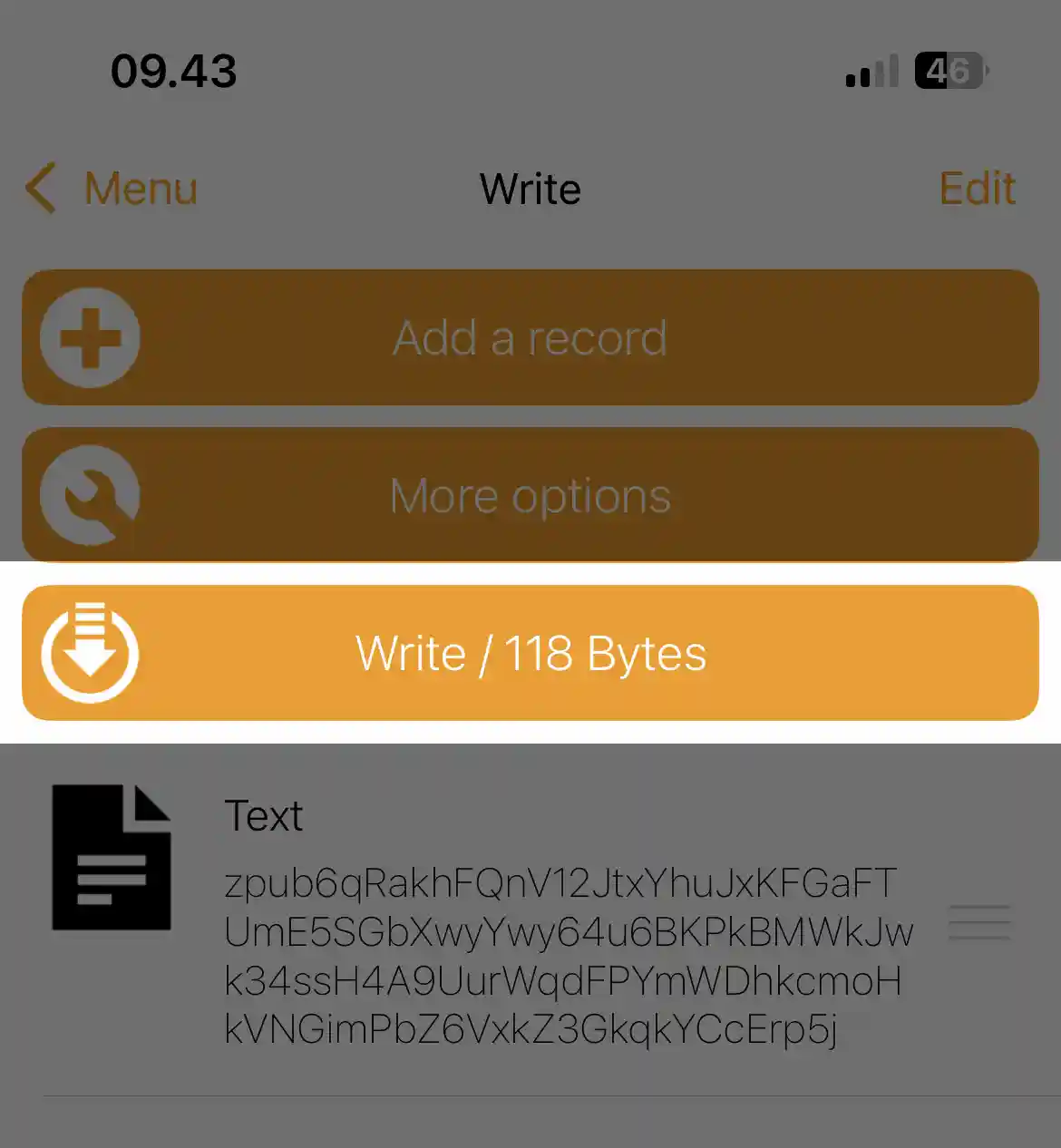
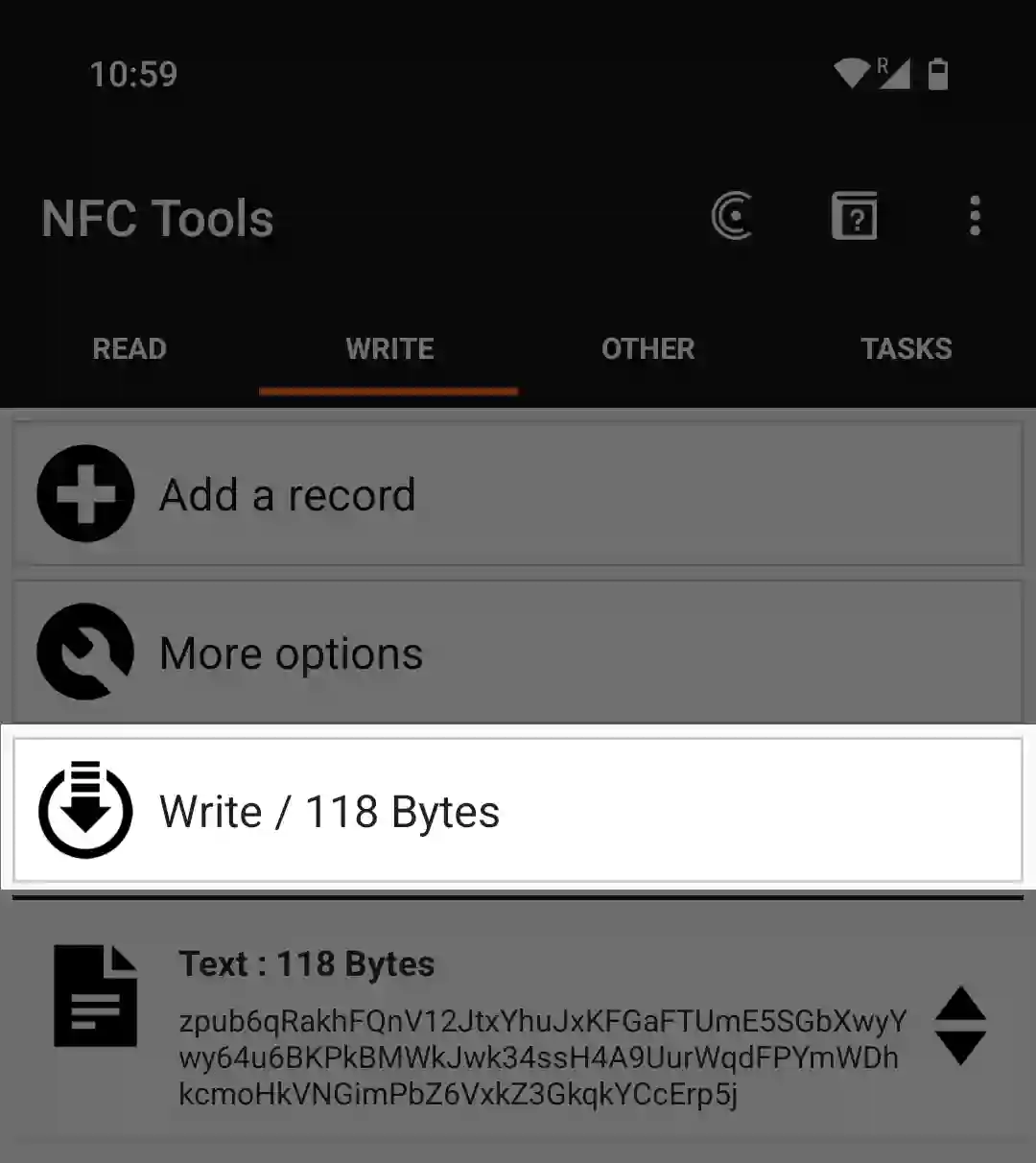
- Tap Write beside the machine. iPhone: the scanning sheet closes after 60 seconds, or when you leave NFC Tools. Android: the dialog "Write on NFC Tag" opens with "Approach an NFC Tag".
- Hold the phone over the panel right of the display (where) until the iPhone sheet shows the write is done, or Android shows "Write complete!" (tap OK).
Where to hold the phone
- Leave the machine on "Backup Wallet"; NFC is off on every other screen.
- Lay the phone's NFC zone flat over the panel right of the display, not over the display, and keep still. iPhone: the top edge of the back. Android: near the top or the middle of the back, by model.
Screenshot pending: The top edge of an iPhone held flat over the panel right of the SH II display
What the machine shows
- "Scanning..." on the start screen for about one second while data arrives. Watch the machine during the write.
- "Engrave Descriptor" when it accepts the text. Phone success only means the bytes arrived; this screen means carry on.
- "Title", only for a JSON
labelor ColdcardName:; shown, not engraved (why). - "Type": "Singlesig", or for example "2-of-3 multisig". Testnet keys add " (testnet)".
- "Script": for example "Segwit (P2WSH)" or "Segwit (P2WPKH)".
- No addresses, fingerprints or xpubs show. If Type or Script is wrong, tap back (top of the right edge).
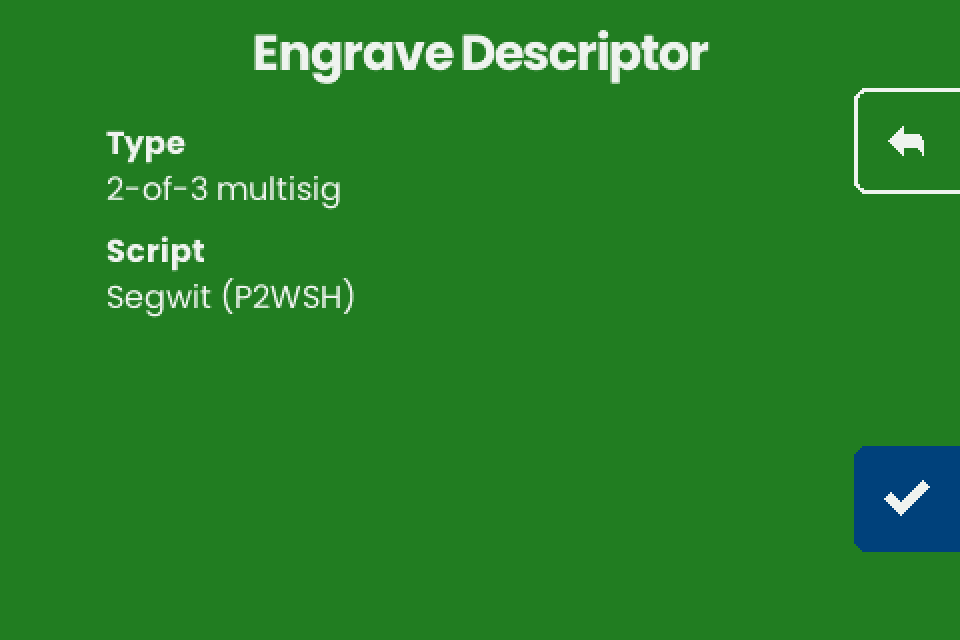
- Tap the checkmark (bottom right). "Engrave" lists the layouts that fit (fit).
- Compare the plate with your wallet by first receive address (why).
- Delete the record from the NFC Tools write list when you are done.
If it does not work
| Symptom | Cause | Fix |
|---|---|---|
| The phone never finishes the write, or the iPhone sheet closes with an error | The machine is not on "Backup Wallet", the phone is not over the panel, a case is in the way, or NFC is off on Android. iPhone: the 60-second limit ran out, or NFC Tools went to the background | Fix it, then tap Write beside the machine and stay in NFC Tools |
| The phone reports success, the machine shows nothing | The record is not Text, or is empty | Use one Text record |
| NFC Tools reports an error at the end of the write, or the write stops part way | The phone moved, or the machine answered late: on stock v1.4.3 its emulated tag promises an answer within about 77 ms (FWI 8), and one step of a large write sometimes takes longer while the screen redraws | An error shown by NFC Tools after the write is harmless when the machine shows the next screen, "Engrave Descriptor". If it shows "Backup Wallet", hold still and write again |
| "Unknown format" flashes for a second | A "URL / URI" record, which adds https:// (the Android default), or a space or line break around a one-line descriptor |
Use a Text record with nothing around the text. Other causes: Troubleshooting |
| "Scan error" | The transfer broke off | Write again, or see Troubleshooting |
| "Too Large" | The descriptor does not fit a plate; not a transfer problem | See What fits on a plate |
| The machine takes an old descriptor | NFC Tools still holds an earlier record (unverified) | Delete it and keep one record |