Plates: which fit, specs and durability
Which plates the SeedHammer II takes, what the official plates are made of, and what to expect from other plates.
Choose plates that fit the SeedHammer II and know how an engraved plate holds up. Stock firmware v1.4.3 knows one plate, 85 x 85 mm: there is no plate-size screen, the machine does not detect which plate is loaded, and each job engraves one face.
Seed words are typed on the machine only and never pass through a phone, a computer or a chat assistant. An engraved seed plate gives full access to the wallet, so store it like the seed; a descriptor plate holds no secret and reveals every address of the wallet.
What you need
- A SeedHammer II on stock firmware v1.4.3: the start screen shows "Firmware: v1.4.3" at the bottom right.
- Square 85 x 85 mm plates: SeedHammer II plates or SH02 steel plates, from the SeedHammer shop or a reseller.
Which plates fit
| Plate | Fits | Notes |
|---|---|---|
| SeedHammer II plate | yes | square, 85 x 85 mm, no holes |
| SH02 plate (original SeedHammer) | yes | square, with or without corner holes; the lock holds the plate and the holes go unused; hole clearance unverified |
| SH01 plate (original SeedHammer) | no | small; support is not planned |
In v1.4.3 descriptor text keeps a 10 mm square clear in each corner: lines within 10 mm of the top or bottom edge are shortened at both ends. A "QR ONLY" plate has no such gap. Its QR is centred, and a 2-of-4 QR is 72.9 mm wide, so it comes within about 6 mm of every edge and reaches into the corners.
Home-made and other plates
| Plate | Fits | Notes |
|---|---|---|
| Home-made plate | if it matches the official plate | |
| 2 mm plate | engraves (unverified) | warps somewhat; use 3 mm |
| Grade 2 titanium plate | engraves (unverified) | dark, so the engraving is harder to read |
| Smaller plate | needs a home-made holder | gets the 85 x 85 mm layout from the same fixed start point, not scaled or moved; run the job with the solenoid unplugged first (test) and watch that the head stays over the plate, or use 85 x 85 mm plates |
Specifications
| Official plate | |
|---|---|
| Size | 85 x 85 mm, square |
| Thickness | 3 mm (unverified) |
| Material | 316L stainless steel, 1.4404 (unverified) |
| Largest engraving area | 79 x 79 mm: the firmware keeps 3 mm free along every edge |
| Per job | one face of one plate; no flow asks for a second side; what fits: What fits on a plate |
| Engraving depth | about 0.3 to 0.4 mm, 1.5 mm is out of reach; deeper on a 28 V supply than on 20 V, see Engraving quality |
Durability
- A house fire reaches about 800 °C; 316L steel melts at about 1375 to 1400 °C (temperatures only, no fire test of an engraved plate).
- A second pass of the same job engraves slightly deeper and wider. A finished job returns to the start screen, so a second pass of a seed means typing it again (Retry, resume and restart).
Test without wasting a plate
Important: Run every test job with a public test wallet, such as the 12-word test seed ("abandon" eleven times, then "about") or a descriptor made from it. Never test with your own seed: each test plate is one more copy of it.
- To test with engraving, engrave the job on a spare plate, over an engraved plate, or on the back of the test plate that came with the machine (if any).
- To test without engraving (v1.4.3 has no dry-run setting; v1.3.8 was the last release with one), unplug the 2-pin engraving solenoid plug as in Unplug the engraving solenoid and watch where the head travels.
Load a plate
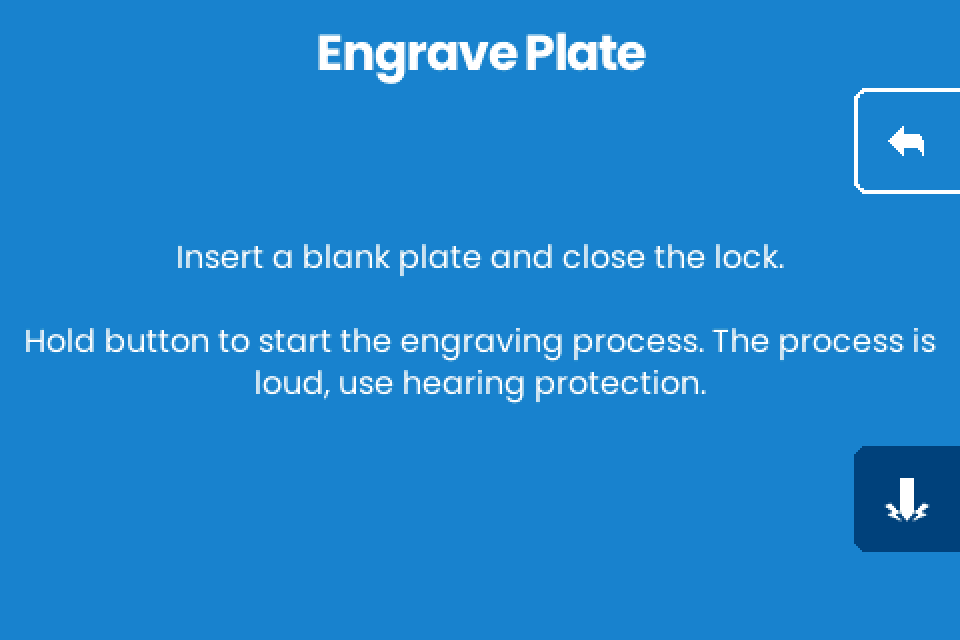
Every seed or descriptor job ends on Engrave Plate: "Insert a blank plate and close the lock."
- Lay the plate in the holder.
- Close the lock.
- Hold the hammer button at the bottom right for 1 second.
The rest of the job, including stop and resume, is in Load a plate and engrave.
If it does not work
| Symptom | Cause | Fix |
|---|---|---|
| "Too Large" / "The descriptor cannot fit any plate size." | The descriptor fits no layout on the one 85 x 85 mm plate the firmware knows. | A different plate does not help. See What fits on a plate. |
| Words fade toward the end of the plate | Play in the X axis, a loose set screw in a brass nut, or a loose clamp. | Reseat the brass-nut set screw and tighten the clamp. See Engraving quality. |
| The QR on a plate is hard to scan | Bare steel gives low contrast. | See Recover a wallet from the plates. |