What the SH II does and does not do
Inputs, formats, scripts, plates and limits of the SeedHammer II on stock firmware v1.4.3.
Inputs, formats, scripts and limits of a SeedHammer II on stock firmware v1.4.3, for choosing a wallet export or buying plates.
Seed words are typed on the machine only and never pass through a phone, a computer or a chat assistant.
A descriptor is not a secret, yet it reveals every address of the wallet.
At a glance
| Question | v1.4.3 |
|---|---|
| How does a seed get in? | Typed on the touchscreen: 12 or 24 BIP39 words. |
| How does a descriptor get in? | As text over NFC, written by a phone app such as NFC Tools while "Backup Wallet" is shown. |
| Camera, SD card, QR scanner, USB data cable, SeedSigner or another device? | None needed. No camera, no SD card. USB-C carries power; its only data is a firmware file in upgrade mode. |
| A descriptor or an xpub without a seed? | Yes (unverified). One job engraves one thing: a seed, a descriptor or a codex32 share. Send a descriptor with key origins, not a lone xpub. |
| Multisig? | Yes, without a multisig menu: each seed on its own plate, then the descriptor. |
| Largest multisig that fits? | Four keys (2-of-4, 3-of-4) with full key origins, as text or as QR, not both (unverified). Five keys or more: "Too Large". What fits on a plate. |
| Scripts? | Single-sig P2PKH, P2WPKH, P2SH-P2WPKH, single-key P2TR (unverified); multisig sortedmulti in P2WSH, P2SH, P2SH-P2WSH. |
Taproot multisig, miniscript, unsorted multi? |
No: "Unknown format". |
| codex32? | One share at a time, over NFC only, engraved as received; not in the menu (unverified). Shares. |
| SLIP-39? | No. |
| Passphrase? | No entry screen; nothing engraves it. |
| Titles or custom text? | No custom text. A label in the export is shown on screen and not engraved (unverified). Titles. |
| Seed generation, dice entry, last-word calculation? | No. |
| Split a seed or a descriptor across plates? | No. A descriptor plate carries the whole descriptor. |
| Preview or dry run? | No. |
| Plates | One size, 85 x 85 mm, one face per job. |
What you need
- The machine and a USB-C PD supply offering 20 V or 28 V at 5 A (100 W or 140 W); the firmware starts on 20 V to 28 V at 3 A or more (power).
- Blank SH02 or SeedHammer II plates, 85 x 85 mm.
- For a descriptor: a phone with NFC and the NFC Tools app (iPhone or Android).
The hardware
| Part | What it does |
|---|---|
| 3.5" touchscreen, 480 x 320 | All controls. Three touch slots on the right edge act as buttons (back, edit, checkmark, hold); no physical menu buttons. |
| NFC reader, right of the display (ST25R3916 chip) | Receives text from a phone or a tag, only while "Backup Wallet" is shown. |
| USB-C port | Power. In firmware upgrade mode it appears on a computer as a USB drive; release firmware reads no data over USB. |
| Engraver | One 85 x 85 mm plate per job, one face, 3 mm safety margin on every side. |
The start screen shows "Firmware: v1.4.3" at the bottom right; power faults: Power supply and first start.
How data gets in
| Route | How | Full steps |
|---|---|---|
| Touchscreen | From "Backup Wallet": the checkmark (bottom of the right edge), "12 WORDS" or "24 WORDS" on "Input Seed", then each word on "Input Words". Letters that cannot continue a BIP39 word go dim. | Enter a seed on the touchscreen |
| NFC | On "Backup Wallet" the machine acts as an empty NFC tag, and a phone writes text to it as to a sticker tag. The machine decodes the text and opens the matching screen itself. No descriptor menu. | Send a descriptor with NFC Tools |
| NFC fact | v1.4.3 |
|---|---|
| When it listens | Only on "Backup Wallet". NFC is off on every other screen. |
| Records it reads | NDEF Text, UTF-8. URI records arrive with their prefix in front: a descriptor sent as a URL becomes https://wsh(...) and fails. |
| Records it ignores | UTF-16 Text, Data and MIME records, Smart Poster, external types. The phone still reports success; the machine shows nothing. |
| Size | Receive buffer 8192 bytes. A phone writes at most about 8180 characters, far more than any supported descriptor. |
| Read back | Always an empty tag. A phone cannot check what it sent by reading the machine. |
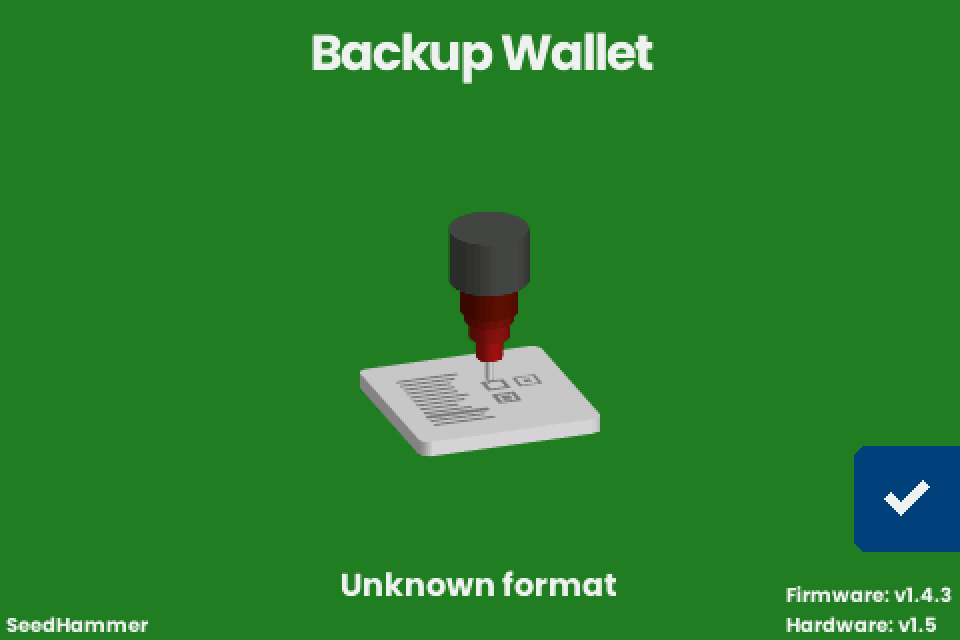
| Status line | "Scanning...", "Unknown format" or "Scan error", each for about one second. |
| Spaces and line breaks | Not trimmed. A trailing space or line break makes a plain descriptor, a key, seed words or a codex32 share fail; Coldcard-style text and JSON tolerate a final line break. |
What it accepts over NFC
The machine tries each reading in this order and takes the first one that works.
| # | Text received | Next screen | Title on screen |
|---|---|---|---|
| 1 | BIP39 seed words separated by single spaces | "Engrave Seed" | none |
| 2 | Coldcard or BlueWallet multisig text with a Name: line |
"Engrave Descriptor" | the Name: value |
| 3 | A plain descriptor (BIP380), single path such as /0/* or multipath /<0;1>/* |
"Engrave Descriptor" | none |
| 4 | JSON {"label": ..., "descriptor": ...}; other keys are ignored |
"Engrave Descriptor" | the label |
| 5 | One extended public key for a single-sig wallet (see below) | "Engrave Descriptor" | none |
| 6 | A codex32 share | "Engrave Plate" at once | none (no confirmation screen) |
| Anything else | stays on "Backup Wallet", "Unknown format" |
A descriptor or a key needs no seed: from "Backup Wallet" the machine goes straight to "Engrave Descriptor" (unverified).
Never send a bare key, which is read by its prefix alone; send a descriptor with its key origin.
| Key sent | Read as | On the plate |
|---|---|---|
xpub... |
"Legacy (P2PKH)", path m/44'/0'/0', even from a native segwit wallet or a multisig cosigner | pkh(xpub...), the wrong script for a segwit wallet. The key is rebuilt for that path: an account-0 single-sig key keeps its string; a key at another depth (a multisig cosigner key) or from another account becomes a different string |
zpub... |
"Segwit (P2WPKH)", path m/84'/0'/0' | wpkh(xpub...): the string never matches the zpub your wallet shows |
ypub..., Ypub..., Zpub... |
"Unknown format" | |
[fingerprint/84h/0h/0h]xpub... (key with origin) |
"Segwit (P2WPKH)", fingerprint kept; a cosigner key with a 48h origin gives "Unknown format" |
the key with its origin |
A bare key is engraved without fingerprint, path or child path such as /0/*.
Seed words over NFC are decoded up to 24 words, in multiples of 3, with a valid checksum; a wrong checksum shows "Unknown format" on this route, as does an Electrum seed in most cases.
Do not send seed words from a phone or a signer; type them as in Enter a seed on the touchscreen.
SeedQR digits are not decoded.
Important: never send text that starts with command:, which is reserved for hidden debug commands: one changes the boot settings permanently, another starts the axes moving on a screen with no way out.
Scripts
| Wallet type | Descriptor | "Script" on screen | v1.4.3 |
|---|---|---|---|
| Single-sig legacy | pkh(...) |
"Legacy (P2PKH)" | yes |
| Single-sig native segwit | wpkh(...) |
"Segwit (P2WPKH)" | yes |
| Single-sig nested segwit | sh(wpkh(...)) |
"Nested Segwit (P2SH-P2WPKH)" | yes |
| Single-sig taproot, one key | tr(KEY) |
"Taproot (P2TR)" | yes (unverified) |
| Multisig native segwit | wsh(sortedmulti(...)) |
"Segwit (P2WSH)" | yes |
| Multisig nested segwit | sh(wsh(sortedmulti(...))) |
"Nested Segwit (P2SH-P2WSH)" | yes |
| Multisig legacy | sh(sortedmulti(...)) |
"Legacy (P2SH)" | yes |
| Unsorted multisig | wsh(multi(...)) |
no: "Unknown format" | |
| Taproot with a script tree, taproot multisig, MuSig | tr(KEY,{...}), multi_a |
no: "Unknown format" | |
| Miniscript (timelock and inheritance wallets) | wsh(or_d(...)) and similar |
no: "Unknown format" | |
| Any descriptor with a BIP393 annotation | ...)?bh=850000#... |
no: "Unknown format" |
The "Type" line reads "Singlesig" or the policy, such as "2-of-3 multisig", with " (testnet)" added for testnet keys.
Multipath /<0;1>/* is fine; a path with three or more branches fails.
Sparrow 2.5.0 and later add ?bh= once the wallet has a confirmed payment and ?gl= after a gap-limit change; remove the suffix as in Prepare the text.
What it shows before engraving
| Screen | Shows | Next |
|---|---|---|
| "Engrave Descriptor" | "Title" (only when the export carried a label), "Type", "Script". No addresses, fingerprints, keys or derivation paths: check those in your wallet before you engrave. | The checkmark tries three layouts and offers only those that fit. If none fits, "Too Large" with "The descriptor cannot fit any plate size." appears instead; its checkmark returns to "Engrave Descriptor". |
| "Engrave" / "Choose engraving" | "TEXT + QR", "TEXT ONLY", "QR ONLY", whichever fit | The checkmark goes to "Engrave Plate". |
| "Engrave Seed" | The words | The checkmark tests the checksum. Failure: "Invalid Seed" with "The seed phrase is invalid." and "Check the words and try again.", or "Electrum seeds are not supported." for an Electrum seed. |
| "Engrave Plate" | "Insert a blank plate and close the lock." | A one-second hold on the hammer button starts the job. At the end: "Engraving completed successfully." |
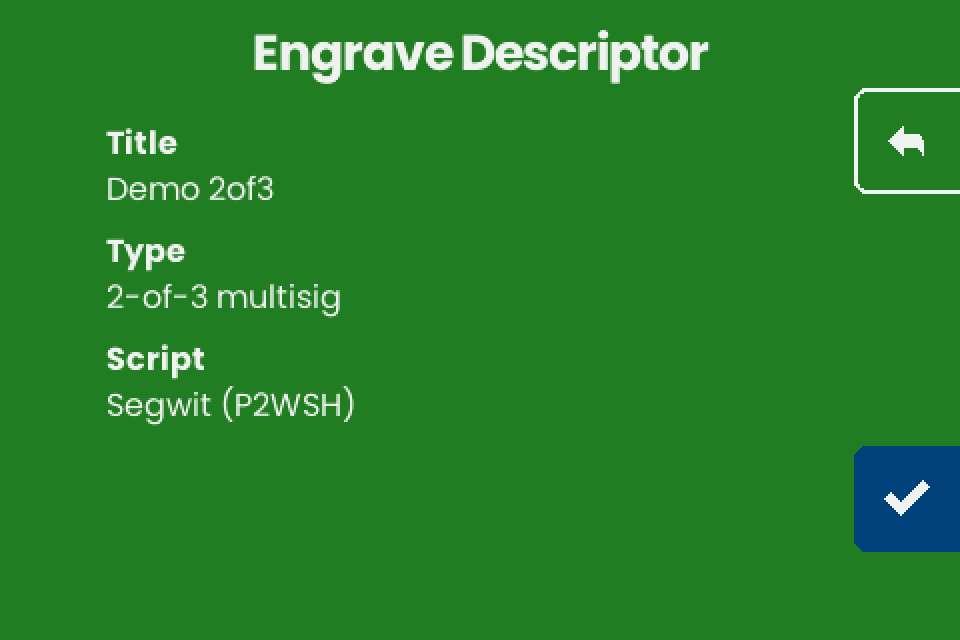
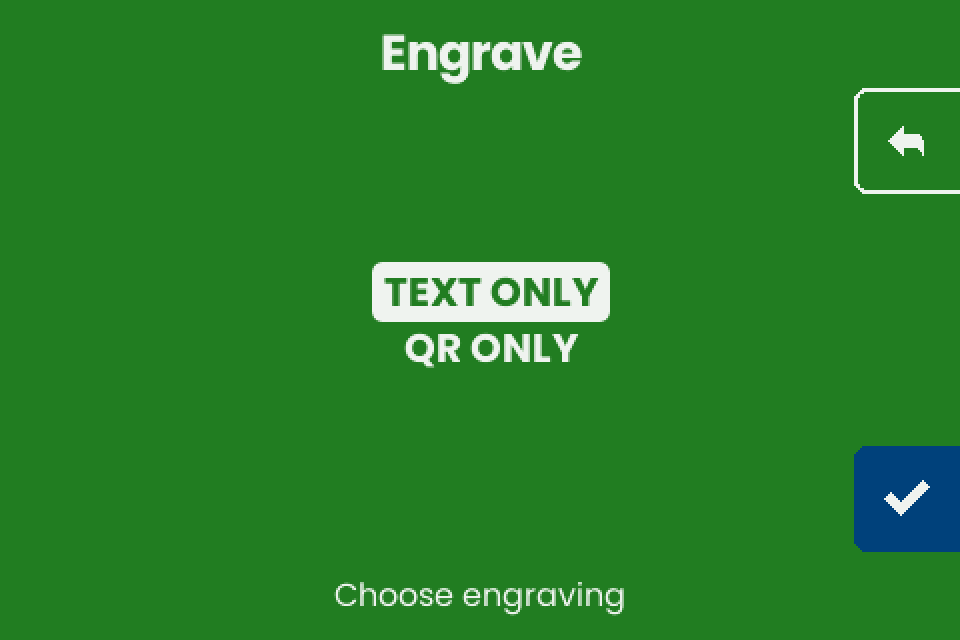
Single-sig gets all three layouts, multisig with up to four keys "TEXT ONLY" and "QR ONLY", five keys or more "Too Large" (What fits on a plate).
What gets engraved
| Input | Text on the plate | QR | Title |
|---|---|---|---|
| Seed (typed or NFC) | Master fingerprint, 8 hex digits (3.0 mm), above numbered words (4.1 mm); layout in Seed plate | SeedQR, standard numeric form (unverified) | none |
| Descriptor | The descriptor rebuilt as BIP380 text with key origins and checksum, hardened steps written as h, 3.8 mm, wrapped |
The same descriptor with key origins, without checksum | none (unverified) |
| codex32 share | The share in capitals, groups of 10 characters in two columns | The share | the 4-character share identifier, under the columns |
The fingerprint on a seed plate is the one for an empty passphrase.
Why a descriptor plate can differ from the export (h for ', no child path from Coldcard-style text, old QR codes): Why the plate differs.
Shares: codex32 and SLIP-39
| Item | v1.4.3 |
|---|---|
| SLIP-39 | Not supported. The entry is switched off in the firmware. |
| codex32 entry | "Input Seed" offers only "12 WORDS" and "24 WORDS". No codex32 keyboard, so a share arrives only over NFC. |
| What it does with a share | Engraves one share as received. It does not create, split or combine shares. |
| After a share arrives over NFC | Straight to "Engrave Plate", no confirmation screen (unverified). |
| Back arrow on that "Engrave Plate" | Does not leave. The only ways out: finish the engraving or unplug the machine (unverified). |
| A share that cannot be laid out | Returns to "Backup Wallet" without a message (unverified). |
A codex32 share is secret like a seed: sent over NFC, it passes through the sending device (see Enter a seed on the touchscreen).
NFC tags, cards and desktop writers
| Device | v1.4.3 |
|---|---|
| ISO 14443A Type 2 tag (NTAG21x), ISO 15693 Type 5 tag (ICODE SLIX, ST25TV) | Polled when no phone is in range (unverified). Write one Text record with NFC Tools, then hold the tag right of the display on "Backup Wallet". |
| NTAG21x capacity | 48 to 888 bytes, which can be too small for a multisig descriptor (unverified per tag). |
| Type 4 tag (DESFire, NTAG 424, ST25TA), Type 3 tag | Not read: the firmware has no reader for them (unverified). |
| Card that is not a Type 2 or Type 5 NDEF tag, such as MIFARE Classic | Not expected to work (unverified). |
| Desktop USB NFC writer aimed at the machine | The writer gets a scan error and beeps every second (unverified). Write the text to a tag and present the tag, or use a phone. |
| Coldcard Mk4 or Q | Presents a Type 5 tag, which the reader accepts (unverified). Exports: Send a descriptor from Coldcard Mk4 or Q. |
A tag keeps a readable copy of the keys; wipe or destroy it after use.
Wallet exports at a glance
Step by step: Sparrow and Specter, phone wallets, Coldcard; the transfer: NFC Tools.
| App and version | Export | Result on v1.4.3 (unverified) | Title |
|---|---|---|---|
| Sparrow 2.5.5 | Settings, "Descriptor:" field, right-click, "Copy Output Descriptor" | accepted; fails with ?bh= or ?gl= |
none |
| Sparrow 2.5.5, multisig | "Export...", then "Keystone Multisig", "Passport Multisig", "Coldcard Multisig" or "BlueWallet Vault Multisig", "Export File..." | accepted when all cosigners share one derivation path | wallet name, shortened to 20 characters |
| Sparrow 2.5.5 | "Export...", "Specter Desktop" | accepted; fails with ?bh= or ?gl= |
wallet name |
| Sparrow 2.5.5 | "Export...", "Output Descriptor", "Export File..." | whole file fails; the first descriptor line alone is accepted | none |
| Sparrow 2.5.5 | "Descriptor:" field, right-click, "Copy Value" | fails (keystore names, not keys) | |
| Specter Desktop v2.1.11 | "Settings", "Export", "Go to export details", "Copy Wallet Data" | accepted, receive branch only | wallet name |
| Nunchuk Android 2.9.0 | "Export wallet configuration", "Descriptor" | accepted, receive branch only | none |
| Nunchuk Android 2.9.0, screen shown after wallet creation | "Descriptor" | accepted, but its KEY/* form describes other addresses: do not use |
|
| Nunchuk | "BSMS" | fails | |
| BlueWallet 8.0.3, vault | "Export Coordination Setup" | accepted for P2WSH and P2SH vaults; fails for a wrapped (P2SH-P2WSH) vault; a cosigner on its own path silently gets the common path, so its engraved origin is wrong | vault name |
| BlueWallet 8.0.3, single-sig | "Show Wallet XPUB" | bare key, do not use: zpub accepted without origin and engraved as xpub; ypub fails; xpub read as Legacy (P2PKH) |
none |
| Cove 1.4.0 | "Export Xpub", "QR Code", copy icon | accepted | none |
| Bitcoin Keeper 2.5.13, vault | "Wallet configuration file", "Show QR" | accepted; miniscript vaults fail | none |
| Bitcoin Keeper 2.5.13, hot wallet | "Show xPub" | read as Legacy (P2PKH): wrong script | none |
| Envoy 2.3.5 | "Show Descriptor", "Segwit", "Copy" | accepted, receive branch only | none |
| Blockstream app 5.7.0 | "Watch-only", "Output Descriptors" | fails as copied (two lines); accepted after deleting the second line | none |
If it does not work
| Symptom | Cause | Fix |
|---|---|---|
| "Unknown format", "Scan error", or nothing after an NFC write | The text matches no reading above, or the transfer failed | Troubleshooting: NFC |
| "Too Large" with "The descriptor cannot fit any plate size." | The descriptor fits no layout | What fits on a plate |
| Any other message or fault | Varies | Troubleshooting; power: Power supply and first start |