# Descriptor export from Sparrow and Specter (desktop)
**Draft, not yet verified on hardware.**
Sparrow 2.5.5 and Specter Desktop 2.1.11 hold the descriptor of every wallet they coordinate, including multisig wallets whose signers have no NFC. The exports below reach the SH II (stock firmware v1.4.3) through a phone running NFC Tools.
Seed words are typed on the machine only and never pass through a phone, a computer or a chat assistant. A descriptor is not a secret, but it reveals every address of the wallet.
## What you need {#requirements}
- The SH II on stock firmware v1.4.3, showing "Backup Wallet", and a phone with NFC Tools ([write steps](/doc/manual/nfc-tools-transfer#write)).
- Sparrow 2.5.5 or Specter Desktop 2.1.11 with the wallet open: single-sig, or a sorted multisig (`sortedmulti`) as P2WSH, P2SH-P2WSH or P2SH ([scripts](/doc/manual/capability-sheet#scripts)).
## Export from Sparrow {#sparrow}
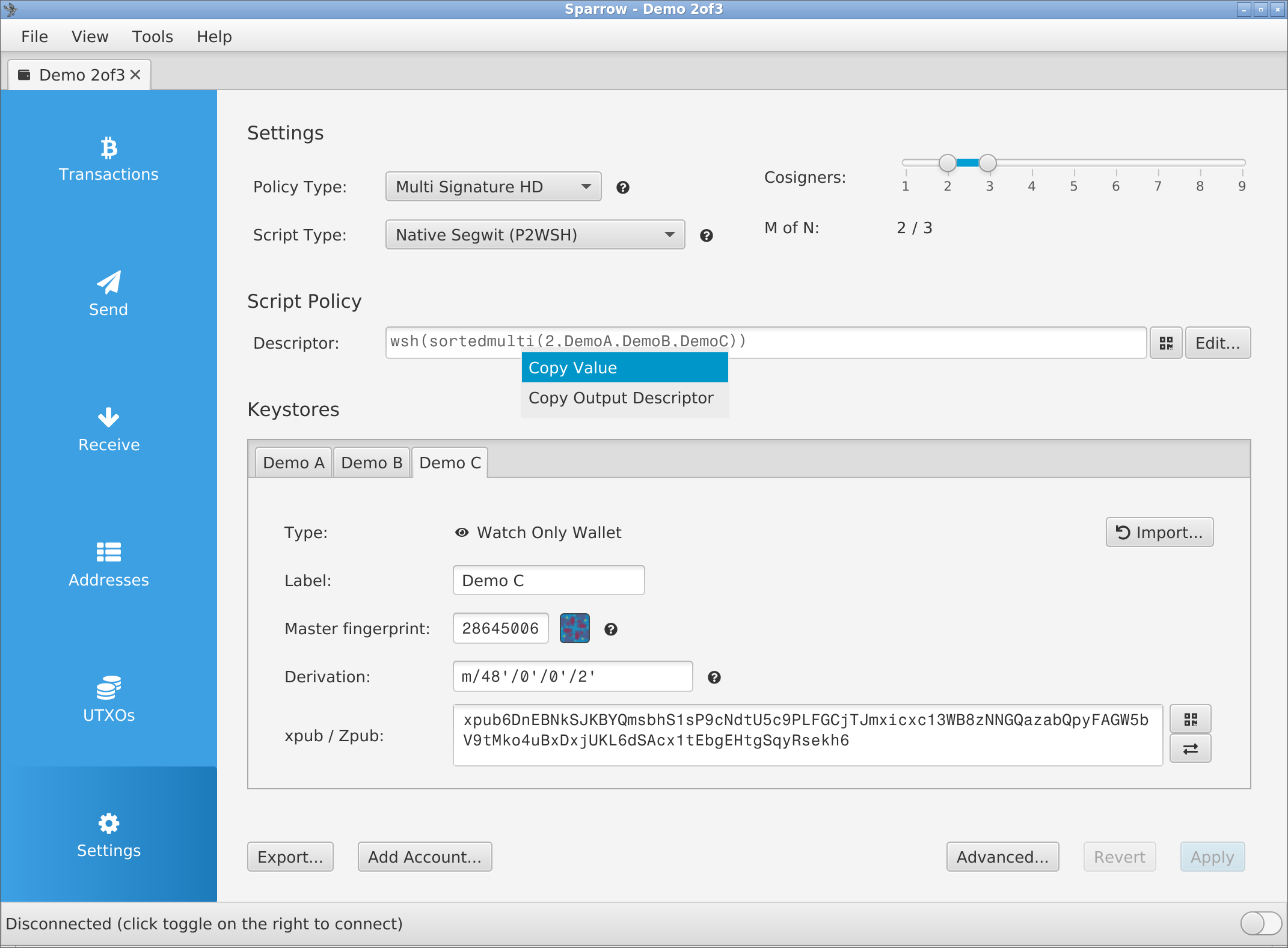
- Open the wallet and click **Settings** in the left column.
- Right-click the **Descriptor:** field.
- Click **Copy Output Descriptor**. The text goes to the clipboard; no dialog opens.
### Remove `?bh=` or `?gl=` {#annotations}
- Sparrow 2.5 and later write a BIP393 annotation before the `#`: `?bh=` once the wallet has a confirmed payment, `?gl=` once the gap limit was changed under **Advanced...**. In a plain-text editor on the computer, delete from `?` to the end of a one-line descriptor, checksum included; the machine engraves its own. Never retype a key character.
- In Sparrow's **Specter Desktop** file, delete from `?` up to the closing `"` of the descriptor, and keep that `"` and the `}`.
### Export a multisig setup file {#sparrow-file}
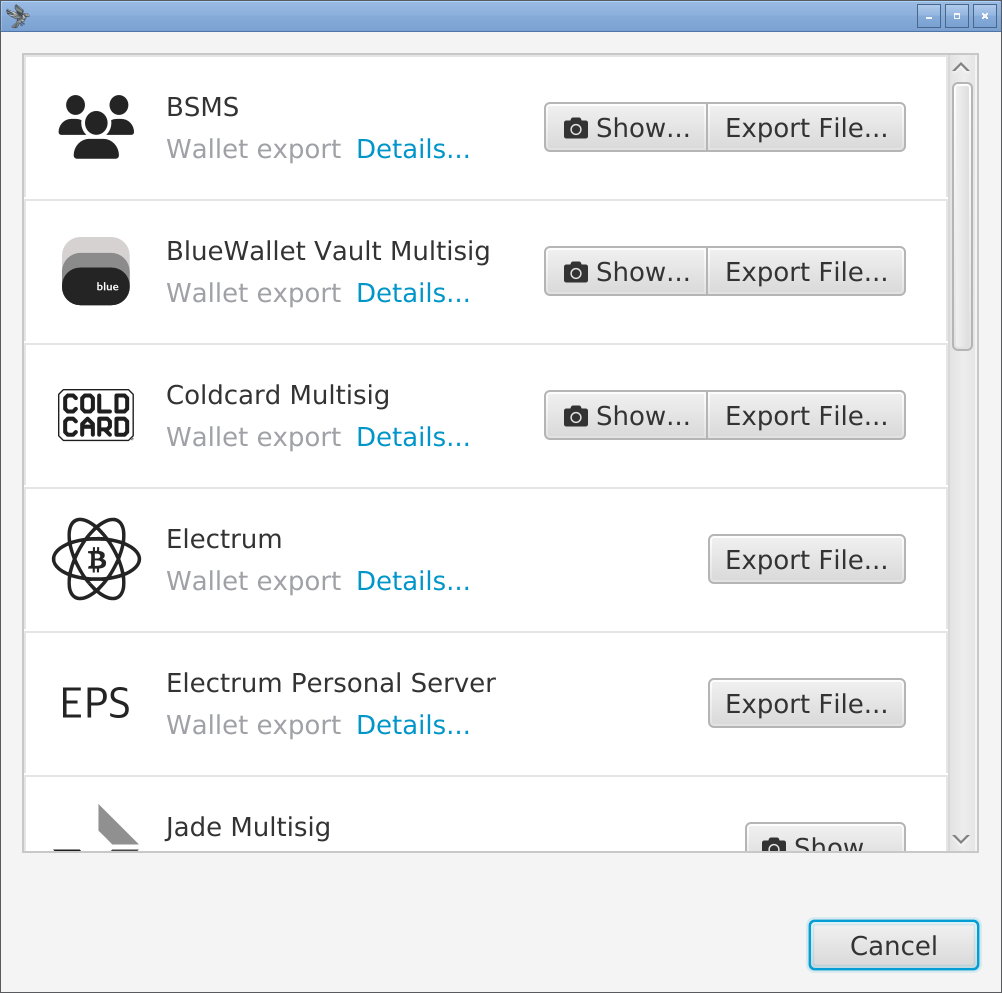
- Click **Export...** at the bottom left of **Settings**.
- In the **Coldcard Multisig** pane, click **Export File...**. **Keystone Multisig**, **Passport Multisig** and **BlueWallet Vault Multisig** write the same text.
- Click **Save**. The file is `-coldcard.txt`, for example `Demo 2of3-coldcard.txt`.
| Sparrow export | "Title" on the machine | Machine reads it | Child path on the plate |
| --- | --- | --- | --- |
| **Copy Output Descriptor** | none | yes, once `?bh=` or `?gl=` is removed | `/<0;1>/*`, receive and change |
| **Coldcard Multisig** file | wallet name | yes, if all cosigners share one derivation path | none; a Coldcard refuses the plate on import |
## Export from Specter Desktop {#specter}
- Click the wallet under **Wallets** in the sidebar.
- Click the wallet's **Settings** tab, beside **Send**.
- Click **Export**.
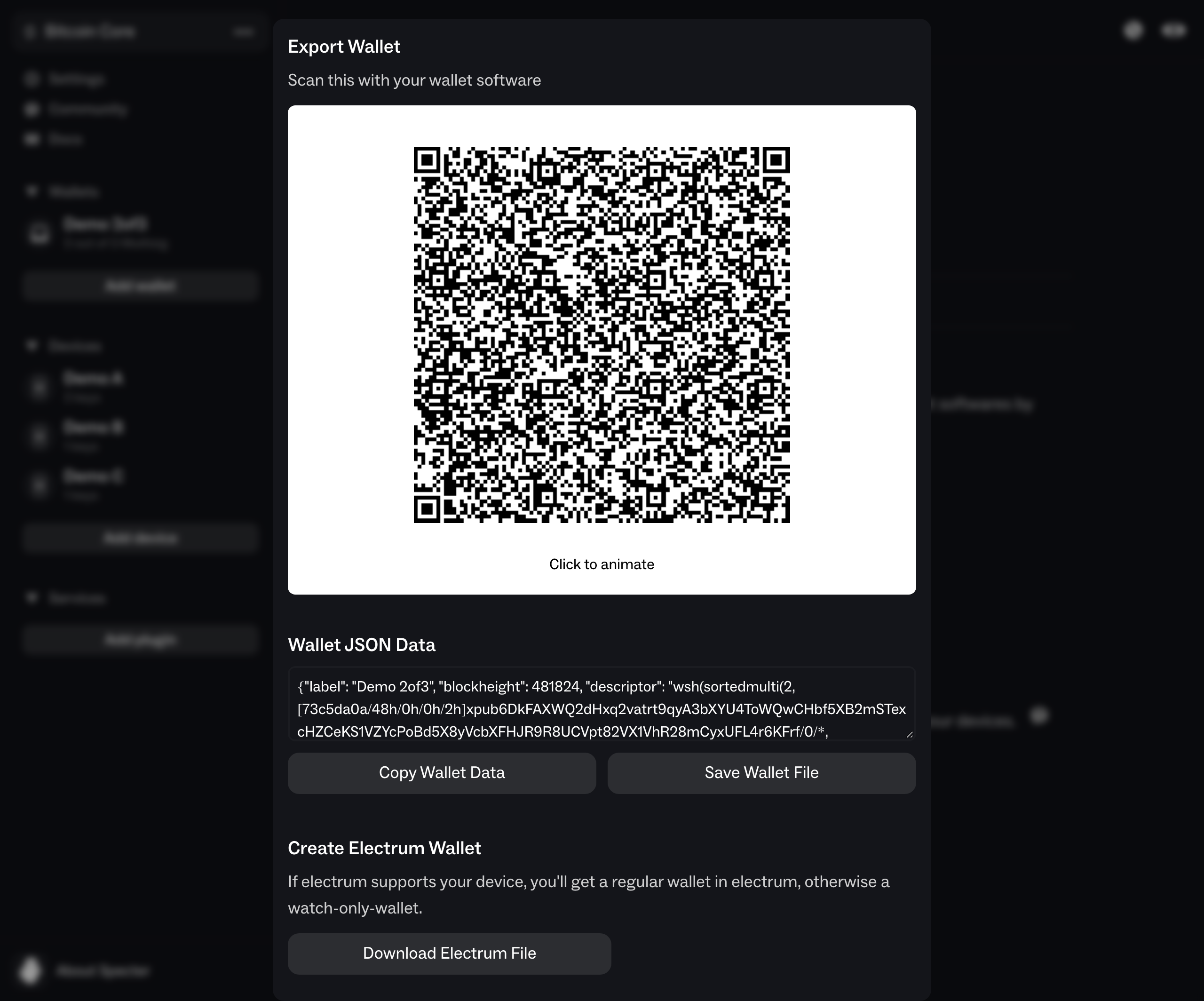
- Click **Go to export details**. The dialog "Export Wallet" opens.
- Click **Save Wallet File**. Specter saves `.json`, for example `Demo 2of3.json`.
- Or click into the **Wallet JSON Data** box, select all and copy. **Copy Wallet Data** copies nothing.
| Specter export | "Title" on the machine | Machine reads it | Child path on the plate |
| --- | --- | --- | --- |
| **Save Wallet File** or **Wallet JSON Data** | wallet name | yes | `/0/*`, receive only ([change addresses](/doc/manual/recovery-from-plates#troubleshooting)) |
| **Download Specter JSON file**, also named `Demo 2of3.json` | none | no, "Unknown format" | none |
## Move the text to the phone {#to-phone}
- Mac and iPhone: copy on the Mac, paste in NFC Tools (Universal Clipboard: same Apple Account, Bluetooth, Wi-Fi and Handoff on).
- File: send the `.txt` or `.json` to the phone (AirDrop, or a USB cable to Android), open it, select all and copy.
- QR code: read Sparrow's **Specter Desktop** or **BlueWallet Vault Multisig** code (**Show...**), or Specter's "Export Wallet" code before you click it, with the phone camera (unverified). Other codes in both apps are UR, BBQr or text the machine refuses. Never use Live Text on the screen: Coldcard-format text has no checksum.
- Write the text as one **Text** record ([NFC Tools](/doc/manual/nfc-tools-transfer#write)); setup text keeps its inner line breaks. "Engrave Descriptor" shows the "Title" of a titled export, and the title is not engraved.
## If it does not work {#troubleshooting}
| Symptom | Cause | Fix |
| --- | --- | --- |
| "Unknown format", Sparrow text holds `?bh=` or `?gl=` | BIP393 annotation, written after a confirmed payment or a gap-limit change | Delete it as [above](#annotations). A QR code carries it too: take the file. |
| "Unknown format", one-line descriptor | A line break or space after the text | Delete it. A setup file may end in one line break. |
| "Unknown format", Sparrow **Output Descriptor** file | The whole file: three descriptors and comment lines | Send only the line under `# Receive and change descriptor:`, without its line break, or use **Copy Output Descriptor**. |
| "Unknown format", text like `wsh(sortedmulti(2,DemoA,DemoB,DemoC))` | **Copy Value** copies the policy with keystore names | Click **Copy Output Descriptor** in the same menu. |
| "Singlesig" "Legacy (P2PKH)" for a segwit wallet | **Copy xpub** on a keystore: a bare key with no fingerprint or path | Use **Copy Output Descriptor** ([bare keys](/doc/manual/capability-sheet#formats)). |
| Nothing to paste after Specter's **Copy Wallet Data** | The button copies nothing, although "Copied wallet data" appears | Click **Save Wallet File**, or select all in **Wallet JSON Data** and copy. |
| Checksum differs between exports, or from the plate | Key order: **Copy Output Descriptor** sorts the keys, the **Specter Desktop** file keeps keystore order; the checksum covers every character | Compare the first receive address ([why](/doc/manual/multisig-and-fit#differences)). |